Songwriting app for iPhone & iPad

Catch the song before it's gone.

Sketch chords and lyrics, record a quick take, and keep every version of a song together. No setup, no clutter — just you and the song.

Download on the App Store Free · No account · iCloud sync

Other apps help you organize finished songs for the stage. Songlog is for the exciting part — writing the song in the first place.

Write

Chords that stay where you put them.

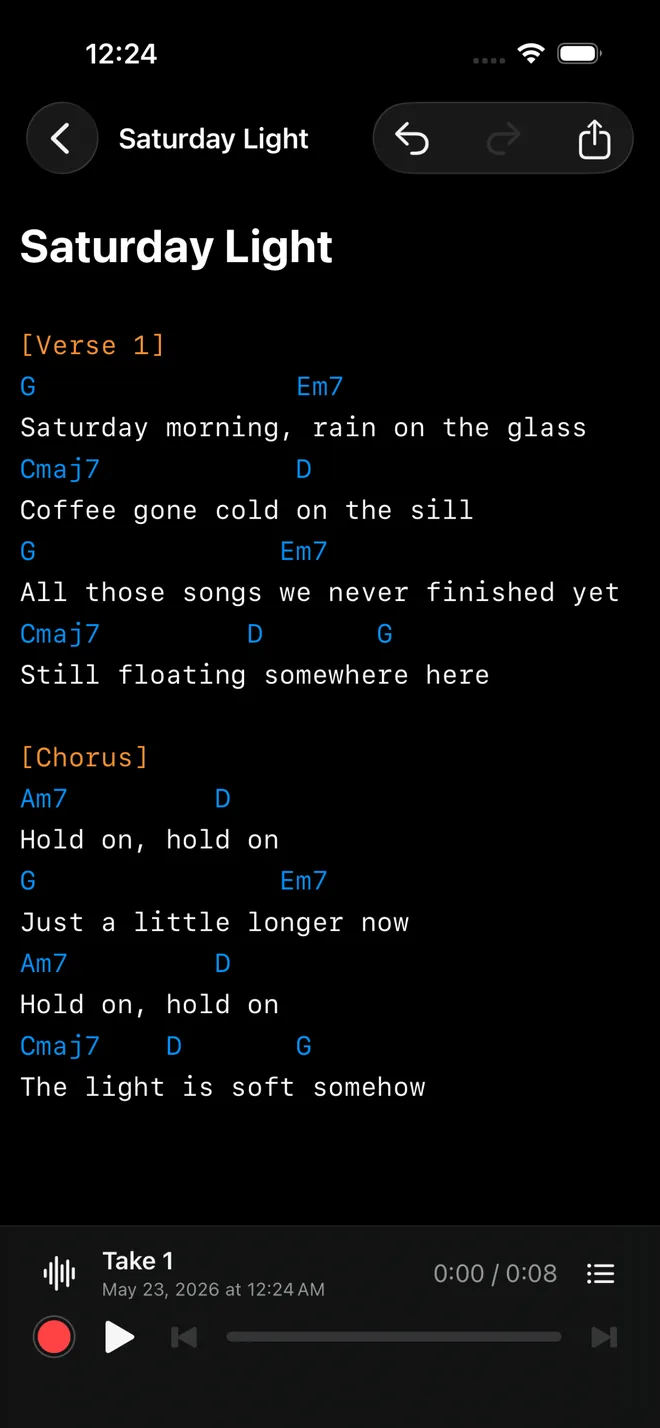
A clean, monospaced editor keeps every chord lined up over its word. Mark [Verse] and [Chorus] as the song takes shape.

When it's ready to share, export it as text, an image, a PDF, or standard ChordPro.

Saturday Light


Same song, same text — flip to see the ChordPro file Songlog exports.

Chords & sections

Add a chord in a couple of taps.

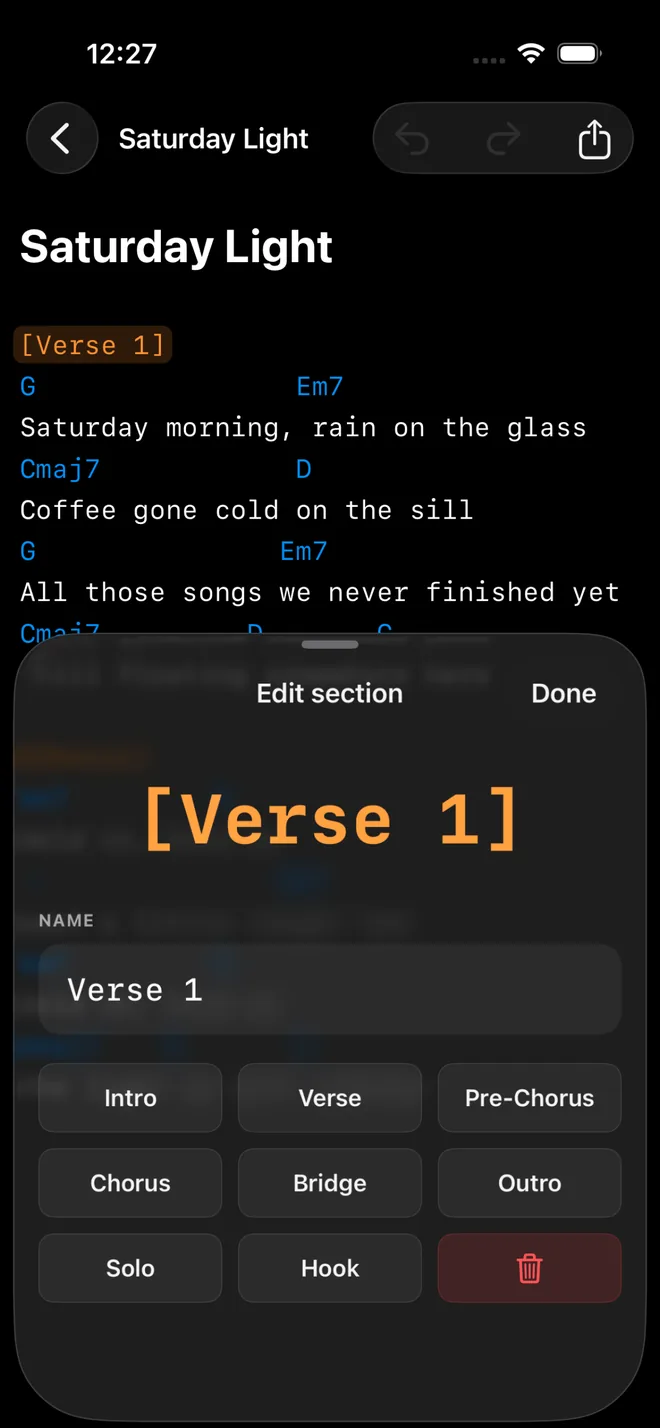
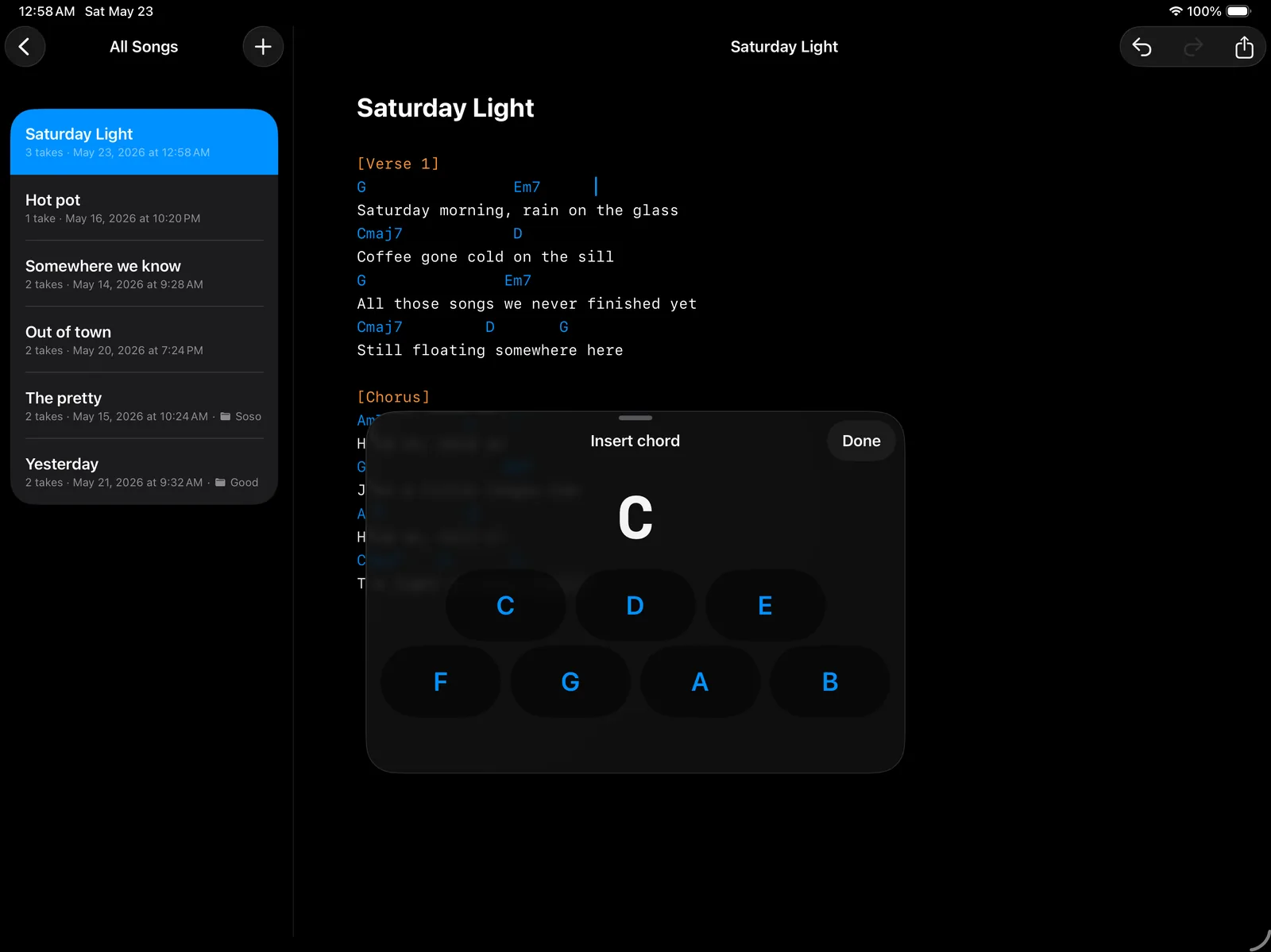
Pick a root, an accidental, a quality — done. Tap any chord to change it or nudge it along the line without knocking its neighbors out of place.

  • Simple chord builder, no music-theory menus
  • Name sections like Verse, Pre-Chorus, Bridge, or Hook
  • Paste a chord chart from the web and the chords stay aligned
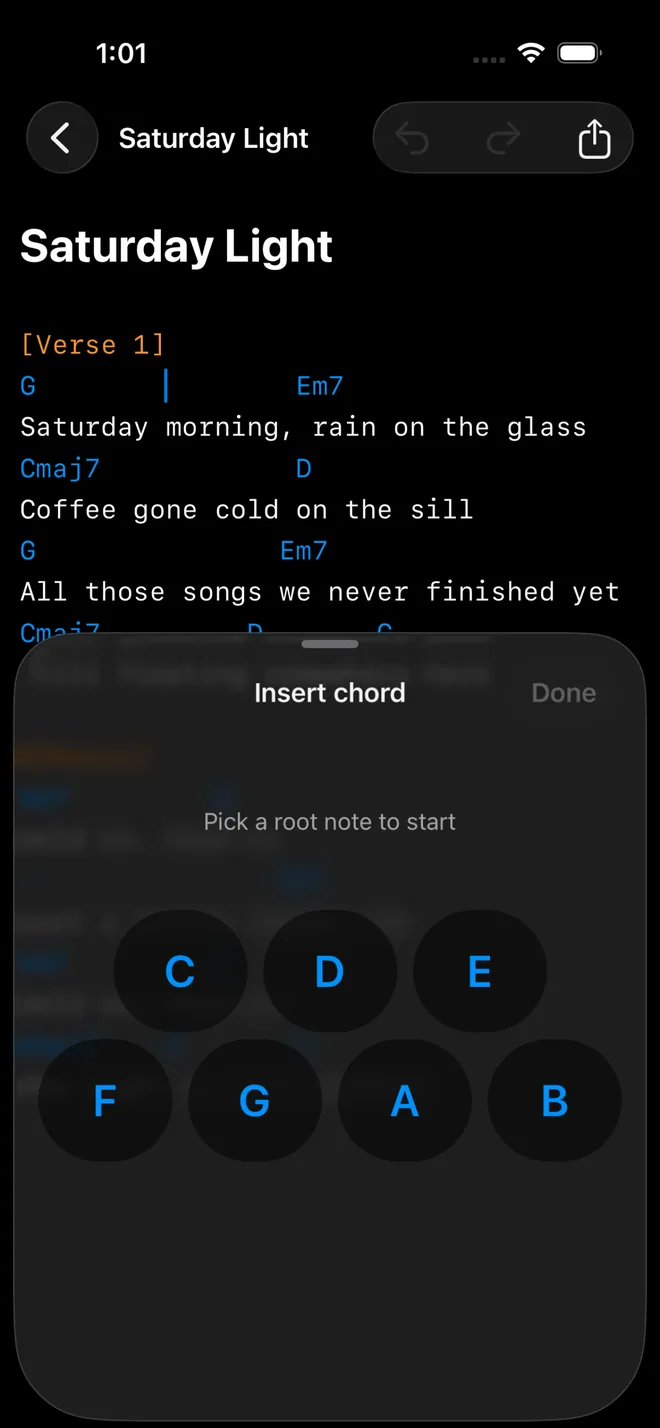
Insert chord panel with root notes C through B
Edit section panel showing Verse 1 and section presets
Record

Hit record without leaving the lyrics.

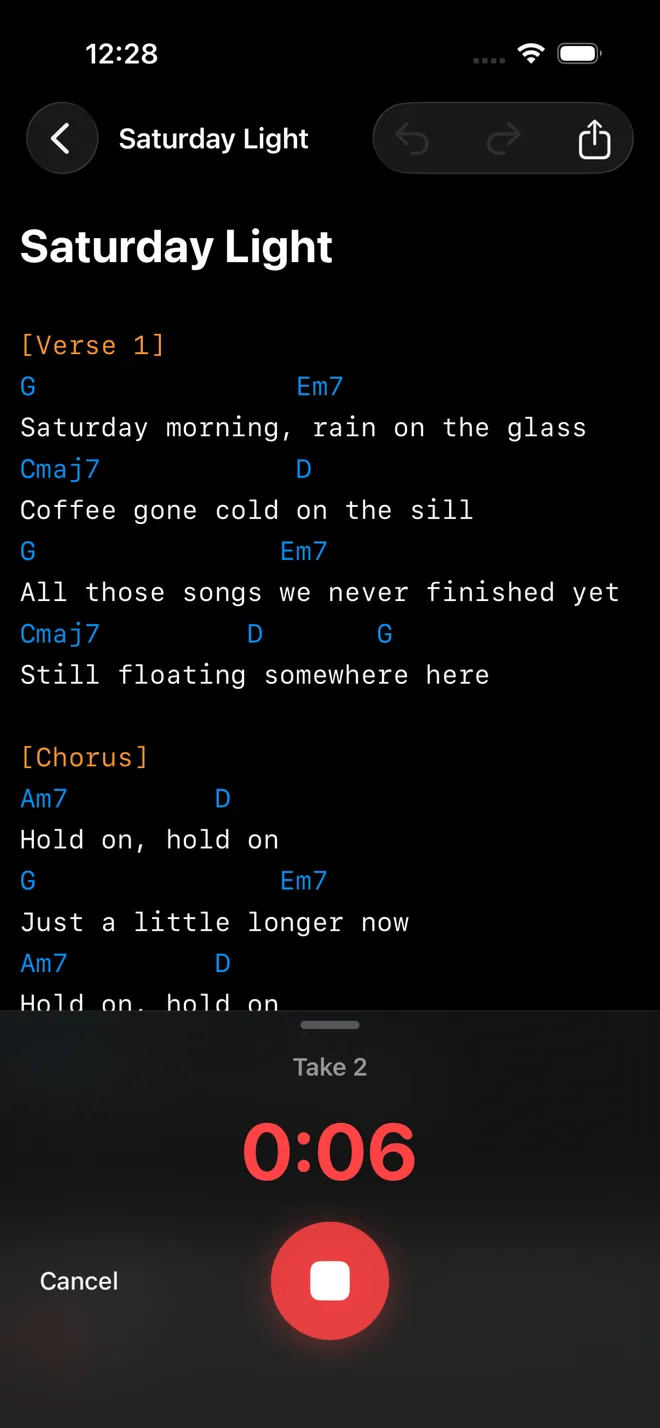
Capture a take with one tap, right next to the words. Every take stays with its song, so that first rough idea is never lost.

  • One-tap recording from the editor
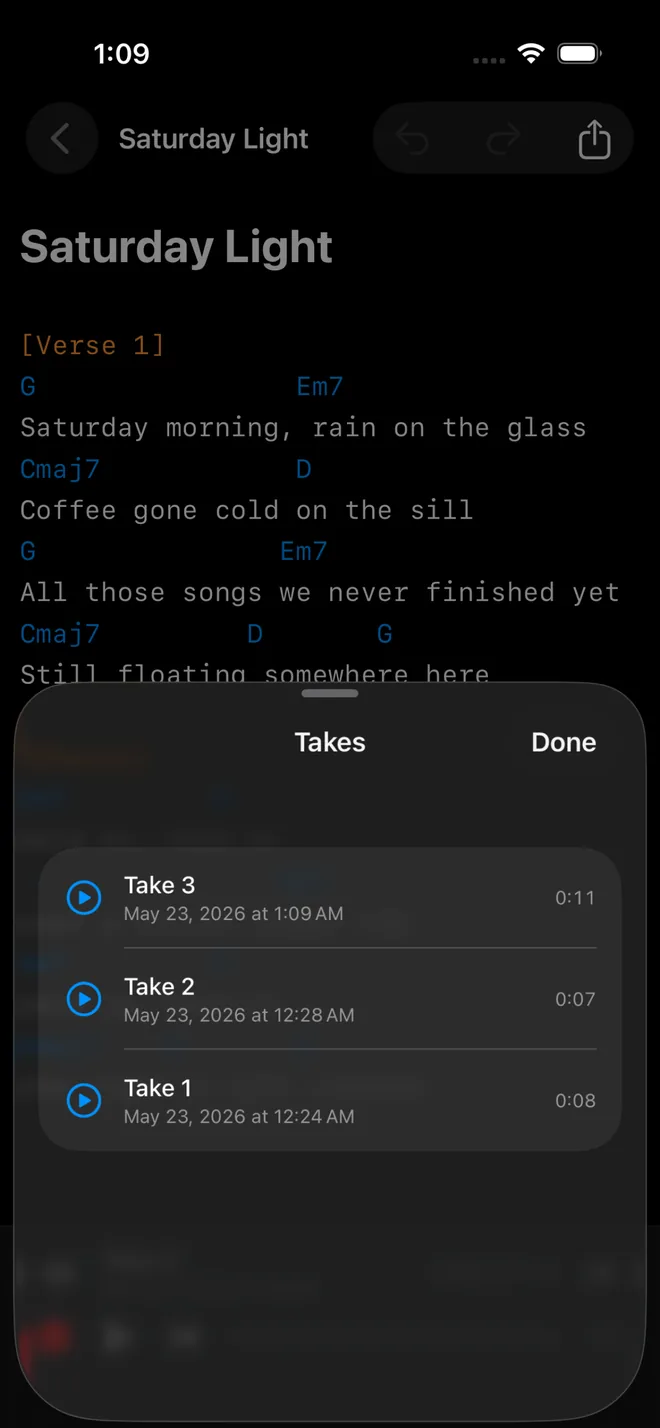
  • Keep every take — skip between versions as the song evolves
  • Takes are leveled automatically so quiet sketches are still audible
Recording a new take, timer at 0:06
List of three takes for the song
Listen & organize

A tidy home for unfinished songs.

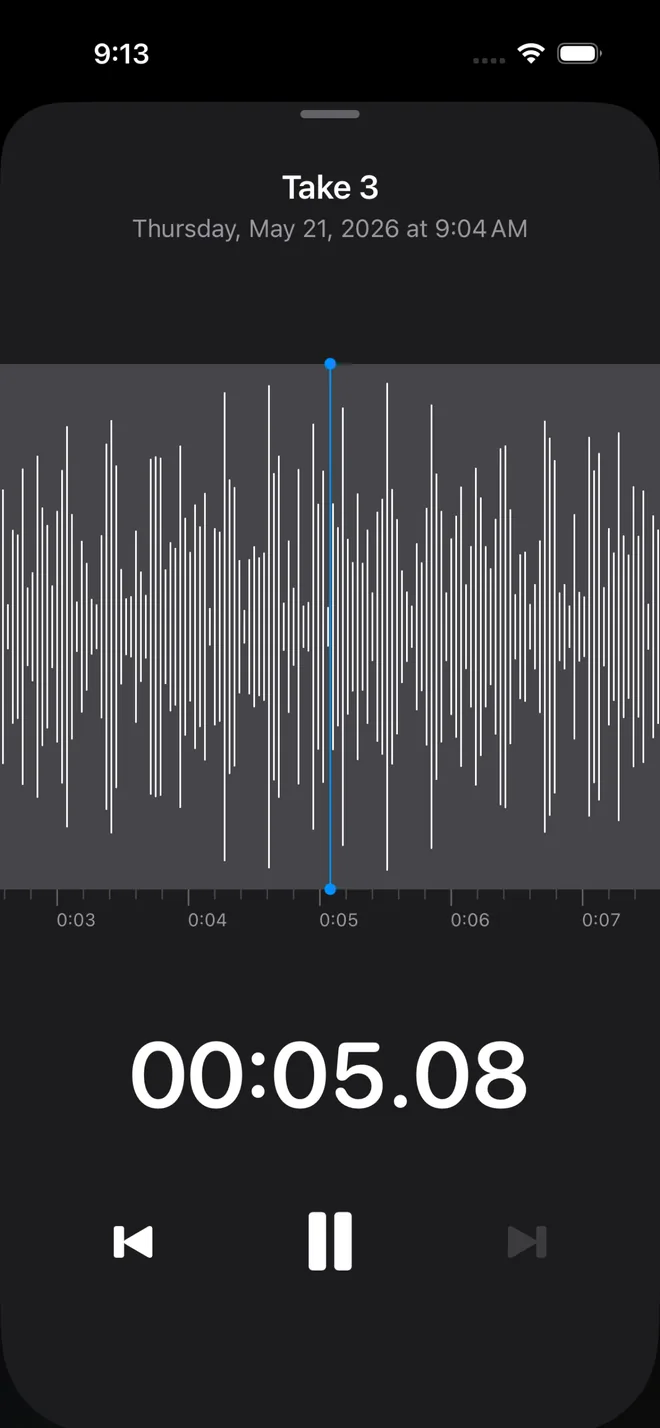
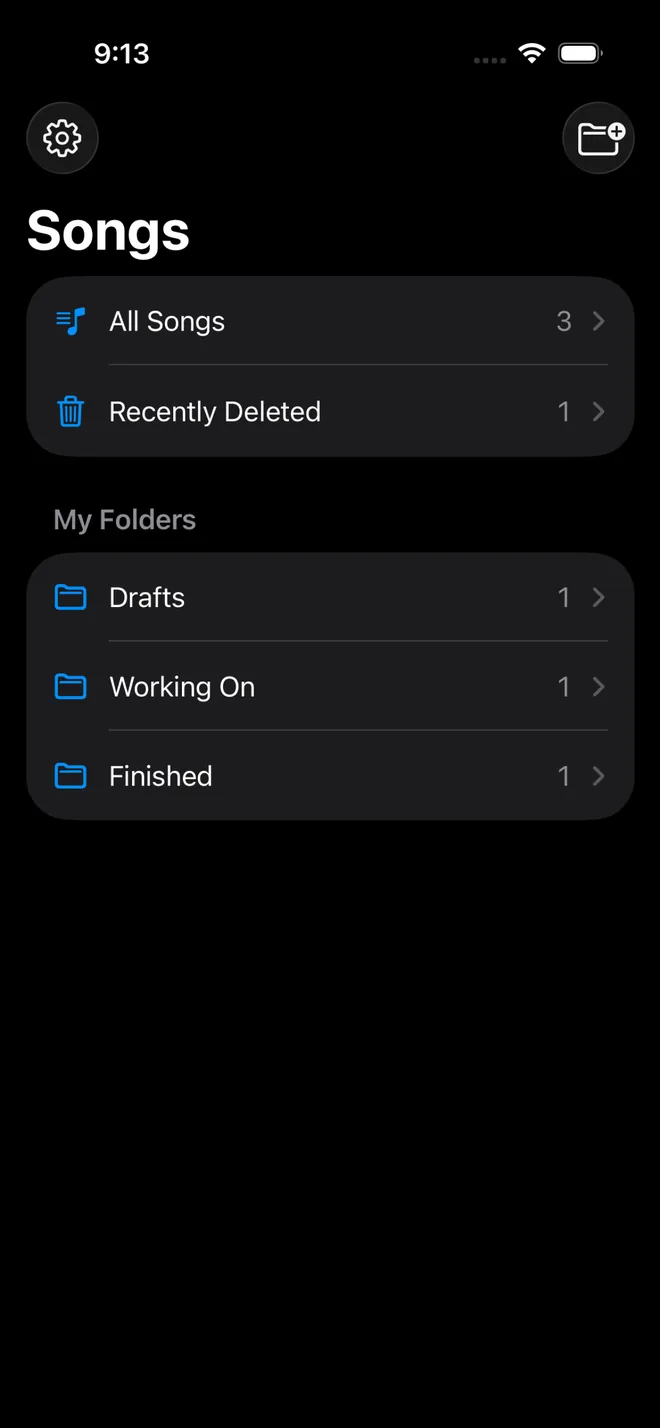
Open any take full-screen to scrub and replay. Sort songs into folders — Drafts, Working On, Finished, whatever fits how you write.

  • Full-screen player with a precise scrubber
  • Folders and a single library for everything
  • Recently Deleted, in case you change your mind
Full-screen player for Take 3
Song library with folders
iPad

Room to write.

Your songs on the left, the song on the right. Start on your iPhone on the bus, finish at the desk — it syncs privately through iCloud.

Songlog on iPad with the song list beside the chord editor
The little things

Small details, so nothing gets in the way.

iCloud sync

Songs and takes stay in step across your iPhone and iPad, in your own private iCloud.

Export anywhere

Plain text, an image for your camera roll, a PDF to print, or a ChordPro file.

Undo everything

One undo history for lyrics, chords, and the title — try things without worrying.

Nothing is final

Deleted songs and takes can be restored, because the bad idea is sometimes the good one.

Light & dark

Follows your system, or pick the one that suits a late-night writing session.

Plays in the background

Keep a take playing from the lock screen while you work out the next line.

Private by design

Your songs are yours.

There's no Songlog account and no Songlog server. Your songs live on your device and in your own iCloud — the developer can't see them.

Read the privacy policy →
No account

Open the app and start writing. Nothing to sign up for.

No ads

No advertising and no tracking across apps or websites.

Your iCloud

Lyrics, chords, and recordings are never sent to the developer or any third party.

Your choice

Anonymous usage stats and crash reports help fix bugs — turn them off anytime in Settings.

Songlog cassette tape

Catch the song before it's gone.

Free on the App Store for iPhone and iPad.

Download on the App Store